The benefits of IT service management for enterprise teams
Published
At enterprise scale, IT processes stop scaling smoothly. Tens of thousands of employees mean more software, more access requests, and more interruptions than any manual intake can absorb. If every request depends on someone manually picking up a ticket, the backlog grows right alongside the business.
The biggest benefits of IT service management come from bringing consistency to that chaos. Standardized processes, clear workflows, and automation help IT spend less time reacting and more time improving how the business runs.
This guide is written for IT leaders and service desk managers at enterprises running thousands of employees across multiple departments, where ticket volume, governance requirements, and audit obligations all scale at once.
What’s IT service management?
IT service management (ITSM) is what organizations use to deliver, manage, and improve IT services. It provides a structured, repeatable approach, letting teams handle requests consistently and support business needs as the organization grows.
Most enterprises adopt this through the Information Technology Infrastructure Library (ITIL) to guide practices like incident management, change management, and problem management. IT teams typically use ITIL v3., a multi-stage method, or ITIL 4, a flexible modern framework. Both versions aim to standardize a healthy IT lifecycle of designing, launching, and improving processes.
As teams practice consistent ITSM processes, they gain better visibility into where bottlenecks exist and which repetitive tasks are good candidates for automation.
The importance of service management for IT operations
Without a consistent way to manage requests, IT teams spend most of their time reacting. Priorities change randomly throughout the day, with technicians jumping back and forth depending on which issue is loudest. And since processes vary between employees, it's hard to see where work is getting stuck. IT service management replaces that reactive approach with standardized workflows that make incident management and change management simpler to handle at scale.
That structure makes daily operations more predictable. Requests follow defined workflows instead of relying on individual knowledge, giving service desk teams a clear view of what's in progress and what still needs attention. Once the process is consistent, it's much easier to spot repetitive work and automate it instead of assigning it to another technician.
For enterprise IT teams, governance matters just as much as efficiency. IT, HR, and Finance often need separate workflows, integrations, and knowledge bases to maintain compliance. Isolated environments prevent one team's changes from affecting another and separates sensitive department-specific data.
The 4 key benefits of implementing ITSM
Here’s how a well-run ITSM practice impacts enterprise organizations.
1. Faster incident resolution and reduced downtime
Every minute spent diagnosing, assigning, or escalating an incident adds to the cost of downtime. ITSM speeds up resolution by providing a consistent process to categorize requests, assign priorities, and route incidents to the right people. Instead of relying on ad hoc decisions, everyone follows the same workflow.
That consistency also helps IT identify recurring issues and address their root causes instead of resolving the same incidents again and again. The result is less downtime and fewer disruptions across the business.
2. Lower operational costs
Routine IT requests may only take a few minutes to complete, but they add up. Tasks like password resets and software access requests might consume hours per workweek.
ITSM reduces those costs by standardizing tasks and making automation easier to implement. Understanding your highest volume tickets and most tedious workflows lets you hand them off to an ITSM platform. Asks like password resets and access requests are low complexity and shouldn’t bog down a human’s schedule.
Standardized ITSM processes also lead to a helpful, updated self-service portal. This gives employees a way to find answers or complete simple requests on their own.
3. Automation and self-service at scale
ITSM provides a sustainable foundation for automation and self-service solutions.
Automation is only effective when people can consistently capture the tasks that need to be done and turn them into reliable workflows. But that isn’t always easy. Standardized methods, especially when backed by an ITSM platform, let teams uncover which actions need automation and turn them into automated processes in minutes.
The same goes for self-service portals. Traditionally, employees had to dig through archives of information, and they may not even find an updated document. ITSM methods ensure company knowledge is current and not only inside the heads of the best employees. ITSM platforms take this one step further. Employees make requests via channels like Slack and Teams, and AI workflows surface the information for them.
4. Stronger compliance and audit readiness
Enterprise IT teams need clear records of what happened, who approved it, and when changes were made. ITSM processes support those requirements by standardizing the collection of detailed records and changes across the environment.
ITSM makes it easier to demonstrate compliance with frameworks like SOC 2 Type II, HIPAA, GDPR, FedRAMP, and ISO 27001. It also controls how companies handle customer data, supporting Zero Data Retention agreements.
How ITSM turns IT into a strategic business partner
The IT team has more capacity to improve how the business operates when they’re not spending every day chasing tickets. Instead of reacting to every request as it comes in, teams devote time to planning rollouts, supporting risk management, and upgrading the workflows employees rely on every day.
ITSM also gives IT leaders a clearer picture of what's happening across the organization. Consistent processes and reliable software make it easier to spot trends in request volume, understand where teams need more support, and make decisions based on data instead of assumptions. Teams can have better conversations with leadership because they point to measurable improvements instead of anecdotes.
As those processes mature, service management often expands beyond IT. Other teams, like HR and Finance, have many of the same needs, from managing requests to maintaining audit trails. At Mercor, for example, the IT team rolled out Serval for ticket triage and contractor onboarding, automating the onboarding of 4,000+ contractors. Infrastructure, payments, engineering, security, HR, and office support then built their own workflows on the same platform with no top-down directive.
Why IT teams choose Serval to get more from ITSM
Most ITSM platforms help teams manage work more efficiently. Serval is the AI-native ITSM solution built to eliminate more of that work altogether.
Perplexity, Mercor, and Together AI each automate over 50% of their incoming tickets end to end. Serval connects natively to 140+ systems and can connect to any tool via API.
Employees submit requests through Slack, Microsoft Teams, email, and web portal, and Serval's help desk agent completes the work using TypeScript workflows built by IT teams.
Serval also covers the ITIL practices those requests eventually turn into. Incident, problem, and ITIL-aligned change management all run natively, with change tickets following a structured lifecycle from submission through implementation and Change Advisory Board approval gates on normal changes. Assets and configuration items are modeled in Serval's Databases feature, with a context graph, full provenance, and multi-source ingestion from MDM, procurement, IdP, and HRIS systems.
Admins describe a workflow in plain language, Serval compiles it into deterministic TypeScript your teams can read and edit, and the help desk agent calls only those published workflows. The help desk agent cannot create or modify these workflows, and it runs in a separate environment from the authoring agent.
Every workflow carries in-product version history with timestamps, authors, and restore, and every run is logged with a full execution history that security teams can export for audit.
Curious what end-to-end automation looks like in practice? Book a demo to see how Serval eliminates manual work instead of redirecting it.
FAQ
Does ITSM improve the employee experience?
Yes, ITSM gives employees a consistent way to request support and access IT services. Standardized workflows reduce delays, improve communication, and help resolve issues more quickly, leading to a more reliable support experience. ITSM also improves your IT team’s experience. By creating reliable, proactive methods, technicians and support reps spend less time and energy ping-ponging between stressful tasks.
How does ITIL improve ITSM?
ITIL gives organizations a set of best practices for managing IT services more consistently. Rather than prescribing rigid rules, it helps teams standardize processes, meet service-level targets, and align IT services with broader business goals as the organization grows.
How does enterprise ITSM differ from ITSM at smaller companies?
Enterprise IT environments typically support more end users, more applications, and stricter governance requirements. As a result, enterprise ITSM tools often include advanced automation, role-based permissions, and detailed audit trails. They also typically separate workflows for teams like IT, HR, and Finance to maintain security and operational control.
What’s the difference between ITSM and a ticketing system?
A ticketing system is software that helps teams log, assign, and track requests. ITSM is a framework defining how teams deliver and improve IT services. While ticketing is a part of this process, ITSM also includes practices like incident management, change management, and continual service improvement.
What’s the difference between ticket deflection and automation in ITSM?
Ticket deflection routes requests to the appropriate team, but it doesn’t reduce the work IT ultimately performs. Automation does. For example, instead of assigning a password reset or access request to a technician,an automated workflow resolves the request from start to finish.
You may also be interested in
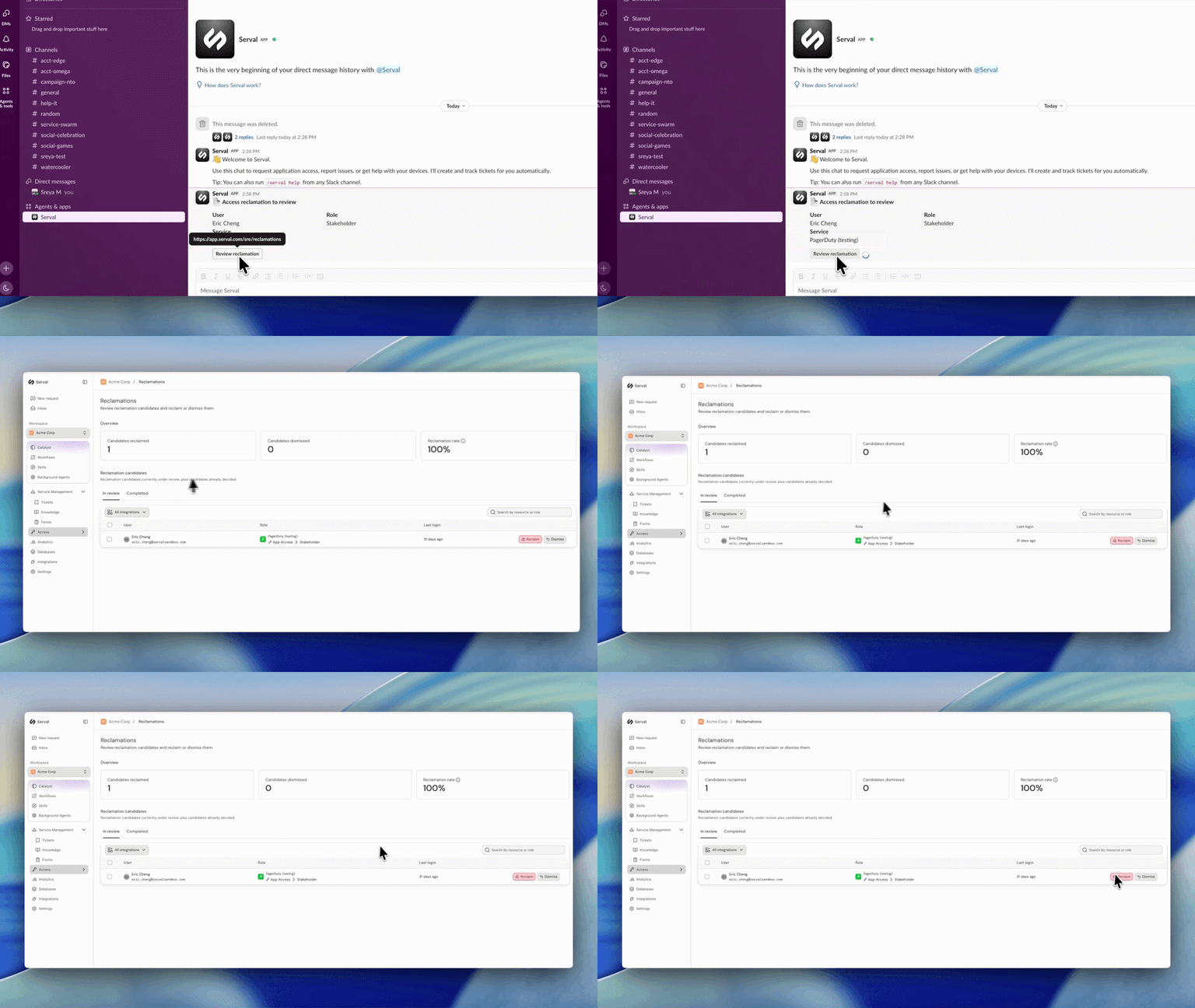
Introducing automated license reclamation
Serval reclaims seats as they go unused, on a policy you set once.
Product
Our approach to hiring: fewer, better, every time
Hiring is the single highest-leverage thing we do at Serval. Every person we bring on either raises the bar or lowers it, so we treat hiring the way we treat…
Company
Serval Launches Program to Transform Employees Into Future Founders
Serval start challenges traditional career paths and retention strategies for startups.
Company