How using AI for process automation changes IT workflows for good
Published
Not long ago, automating a workflow meant mapping every possible path in advance. If a request fell outside those rules, the automation stopped and a person stepped in.
Using AI for process automation changes that equation. Instead of relying only on predefined rules, AI can help organizations automate more complex workflows while reducing the manual effort required to build and maintain them.
In this guide, we'll explore how AI compares to traditional automation. We’ll also look at how AI and process automation work together and how to evaluate the tools that are changing the way IT teams build and automate workflows.
What’s AI process automation?
AI process automation combines artificial intelligence with workflow automation to execute processes that traditionally relied on predefined rules. Instead of following the same path every time, AI can interpret natural language requests, adapt to changing inputs, and make decisions within defined guardrails.
That doesn't mean rules disappear. Every automated process still needs structure, especially when it's handling sensitive IT tasks. The difference is that AI reduces the amount of manual work required to build workflows and helps them handle situations that would otherwise require human intervention.
How AI automates workflows for IT teams
Many IT teams already automate repetitive workflows. AI builds on that foundation by helping workflows handle more variation without requiring IT to anticipate every possible scenario. Here are a few areas where it can make the biggest difference:
- Access provisioning and deprovisioning: AI can evaluate access requests in context before launching the appropriate provisioning workflow. That reduces manual reviews while keeping approval policies in place.
- Employee onboarding: Onboarding often spans multiple systems and teams. AI keeps the process moving by coordinating tasks and answering routine employee questions along the way.
- Incident response: Some incidents still require experienced technicians. Others follow a familiar pattern. AI can identify those routine cases, launch the appropriate remediation workflow, and escalate only when human judgment is needed.
- Scheduled maintenance: Routine maintenance is already highly automated in many organizations. AI recognizes when a workflow needs to adapt instead of following the same sequence every time.
- Knowledge management: Instead of matching keywords, AI can understand what an employee is asking and surface a relevant answer or launch the right workflow.
7 AI process automation tools worth considering
AI may be everywhere, but not every platform uses it the same way. This breakdown of seven leading solutions compares how each platform puts artificial intelligence to work.
1.Serval
Serval is an AI-native ITSM platform that resolves employee requests end to end. Perplexity automates over 50% of its incoming IT requests on it.
Catalyst, Serval's automation agent, compiles a plain-language description into deterministic TypeScript you can read and edit. Serval's help desk agent can only call published workflows. It can't create or modify them, and it runs in a separate environment from the authoring agent.
Serval owns the request itself: It takes the ticket in Slack, Microsoft Teams, email, or the web portal. It then runs the published workflow and closes it.
Serval also covers just-in-time access provisioning with automatic revocation, user access reviews, an enterprise CMDB through Databases, and request, incident, problem, and change management, across 140+ native integrations and any other tool via API. Pricing is a predictable flat platform fee.
Best for: IT teams that want AI to resolve employee requests instead of just routing them
2.n8n
n8n is a workflow automation platform for technical teams that combines AI with code, integrations, and explicit logic. It supports AI agents, human approvals, and built-in audit trails so teams can build workflows that are explainable by design and maintainable as requirements change.
Best for: Developers and IT teams building custom automations
3. Zapier
Zapier is an AI-powered automation platform that connects 9,000+ apps through automated workflows called Zaps. It describes itself as "the control plane that connects any AI to any tool," and its AI agents score leads, process documents, route tickets, and handle requests autonomously across connected apps.
Best for: Business teams looking to automate work without coding
4. Make
Make is a visual automation platform that lets teams build AI-powered automations with no code. It connects leading AI models to existing workflows and uses AI to generate, extract, summarize, classify, or transform data as part of an automation.
Best for: Teams designing complex visual workflows
5. Microsoft Power Automate
Microsoft Power Automate connects Microsoft 365 and third-party applications through 1,400+ prebuilt connectors to support business process automation with AI. It uses AI Builder and Copilot to help users build workflows, process documents, extract data, generate text, and automate decisions with low-code tools.
Best for: Organizations already invested in the Microsoft ecosystem
6. UiPath
UiPath is an enterprise automation platform that combines AI agents, robots, people, and models to automate complex business processes. It supports agentic automation, allowing AI agents to plan, act, and collaborate with robotic automation and human workers across enterprise workflows.
Best for: Large enterprises automating complex, cross-functional processes
7. ServiceNow
ServiceNow is an AI service management platform that unifies workflows across the enterprise. It combines AI agents with workflow automation so teams can coordinate work across IT and other business functions from a single platform.
Best for: Enterprises looking to unify IT and business workflows
AI-powered automation vs. traditional automation
| Capability | Traditional automation | AI-powered automation |
|---|---|---|
| How workflows are built | Requires manually defining every workflow | Builds workflows from natural-language prompts |
| Handling edge cases | Breaks when requests fall outside predefined rules | Understands intent and adapts within defined guardrails |
| Audit trail and visibility | Executes the same path every time | Combines reasoning with deterministic execution and audit trails |
| Learning and improvement | Requires manual workflow maintenance | Suggests and speeds up workflow improvements |
| Who can build automations | Built primarily by technical users | Makes workflow creation accessible through natural language |
| Time to first automation | Longer implementation cycles | Faster time from idea to running workflow |
How AI automates IT workflows with Serval
Serval separates workflow creation from execution. The help desk agent can only call published workflows, and it runs in a different environment from the authoring agent, with no access to the workflow builder.
IT admins describe automation in natural language and Catalyst generates deterministic TypeScript for review before publication. Employees interact only with the help desk agent, which runs published workflows to resolve requests end to end.
Every workflow version is tracked with timestamps and authors, and every run is logged step by step with inputs, outputs, and status.
Book a demo today to see how Serval helps IT teams build workflows in natural language and resolve employee requests end-to-end.
FAQ
What’s a good starting point for adopting AI process automation?
The best place to start is with repetitive workflows made up of predictable, repeatable tasks. AI task automation works best when those individual tasks already follow a clear process. Password resets, access requests, employee onboarding, and knowledge-based support are common examples because they happen often and typically follow the same sequence of steps.
Once you’ve automated those workflows, you can expand into more complex processes that involve approvals, multiple systems, or cross-functional coordination. Instead of trying to automate everything at once, start with the goal of identifying workflows where AI can consistently resolve requests with the right controls and auditability in place.
What metrics can businesses use to measure AI automation success?
A faster response time doesn't necessarily mean less work for IT. If AI only routes a ticket to the right person, the team is still doing the work.
Instead, focus on metrics that show whether manual effort is actually disappearing. Automation rate, AI-resolved requests, average resolution time, and SLA performance all offer a clearer picture of whether AI is handling work from start to finish or just moving it around.
How are machine learning and predictive analytics used in AI process automation?
Machine learning helps AI recognize patterns across thousands of requests. That makes it better at understanding intent, categorizing requests, and recommending the right workflow.
Predictive analytics looks at those same patterns from a different angle. Instead of responding to today's tickets, it helps IT teams spot trends and identify workflows that are good candidates for automation. It also helps them understand where manual work is still slowing the team down. Over time, those insights make it easier to expand automation instead of rebuilding workflows from scratch.
You may also be interested in
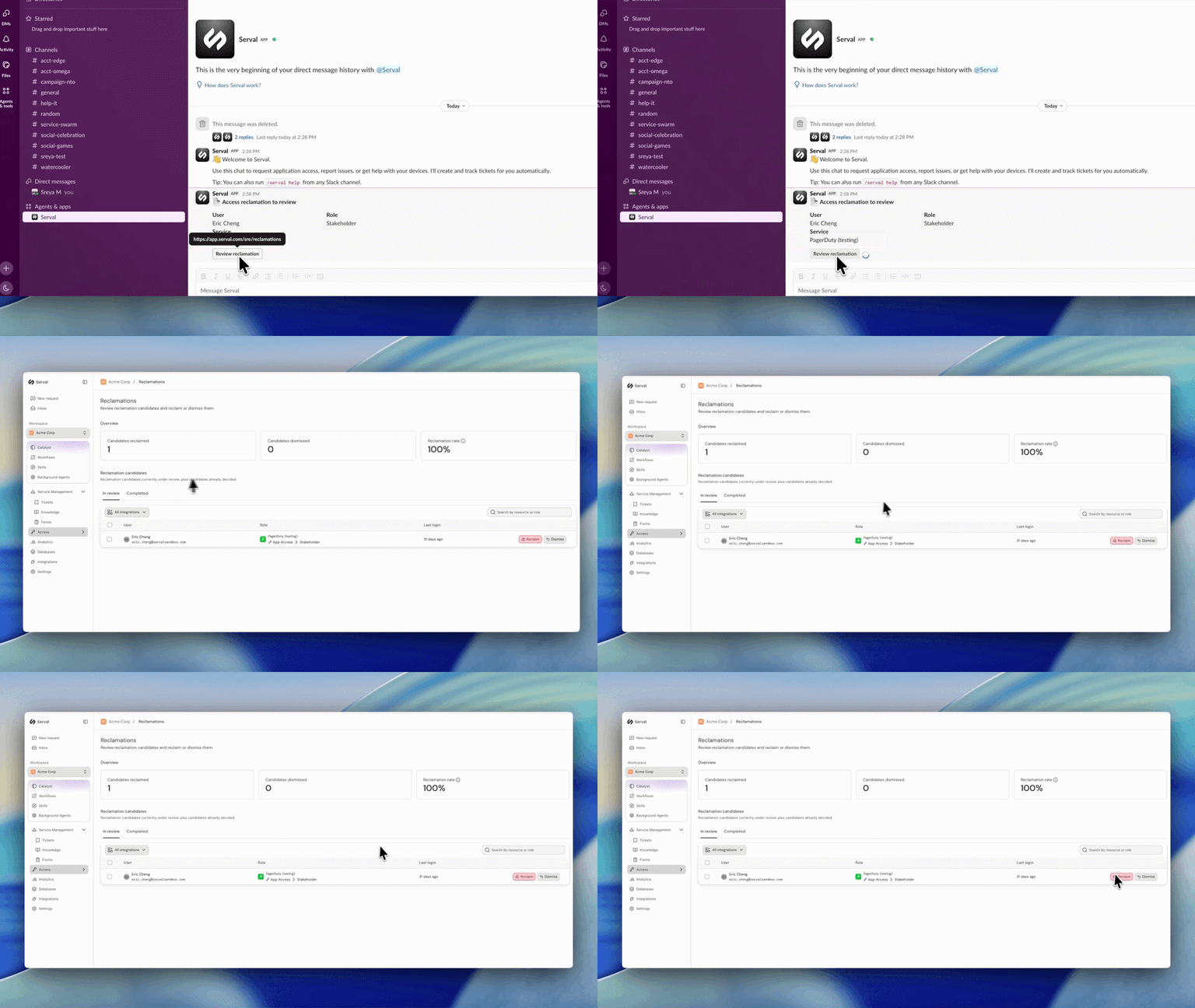
Introducing automated license reclamation
Serval reclaims seats as they go unused, on a policy you set once.
Product
Our approach to hiring: fewer, better, every time
Hiring is the single highest-leverage thing we do at Serval. Every person we bring on either raises the bar or lowers it, so we treat hiring the way we treat…
Company
Serval Launches Program to Transform Employees Into Future Founders
Serval start challenges traditional career paths and retention strategies for startups.
Company